Member's phone
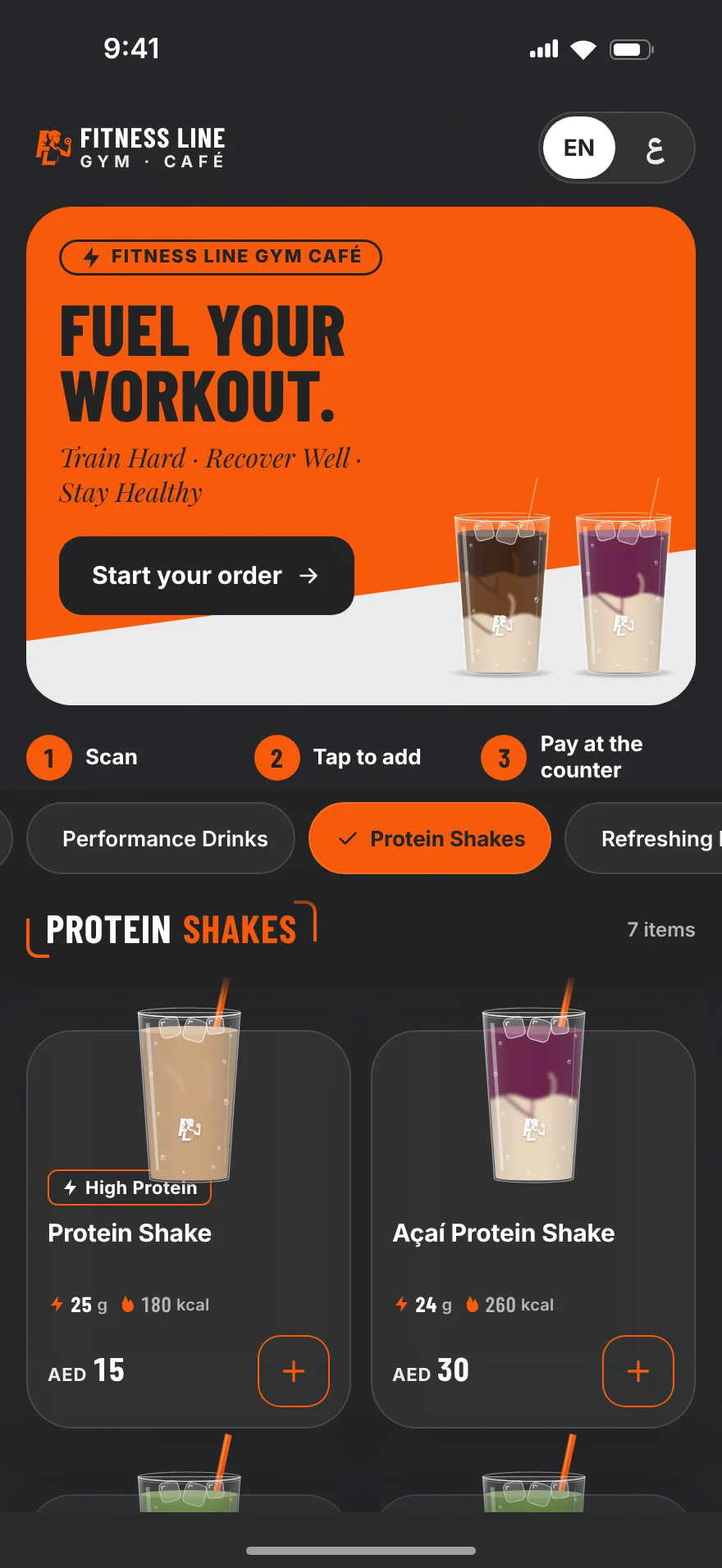
The menu in their pocket
- Arabic & English, one tap to switch
- Protein and calories, with a High-protein badge
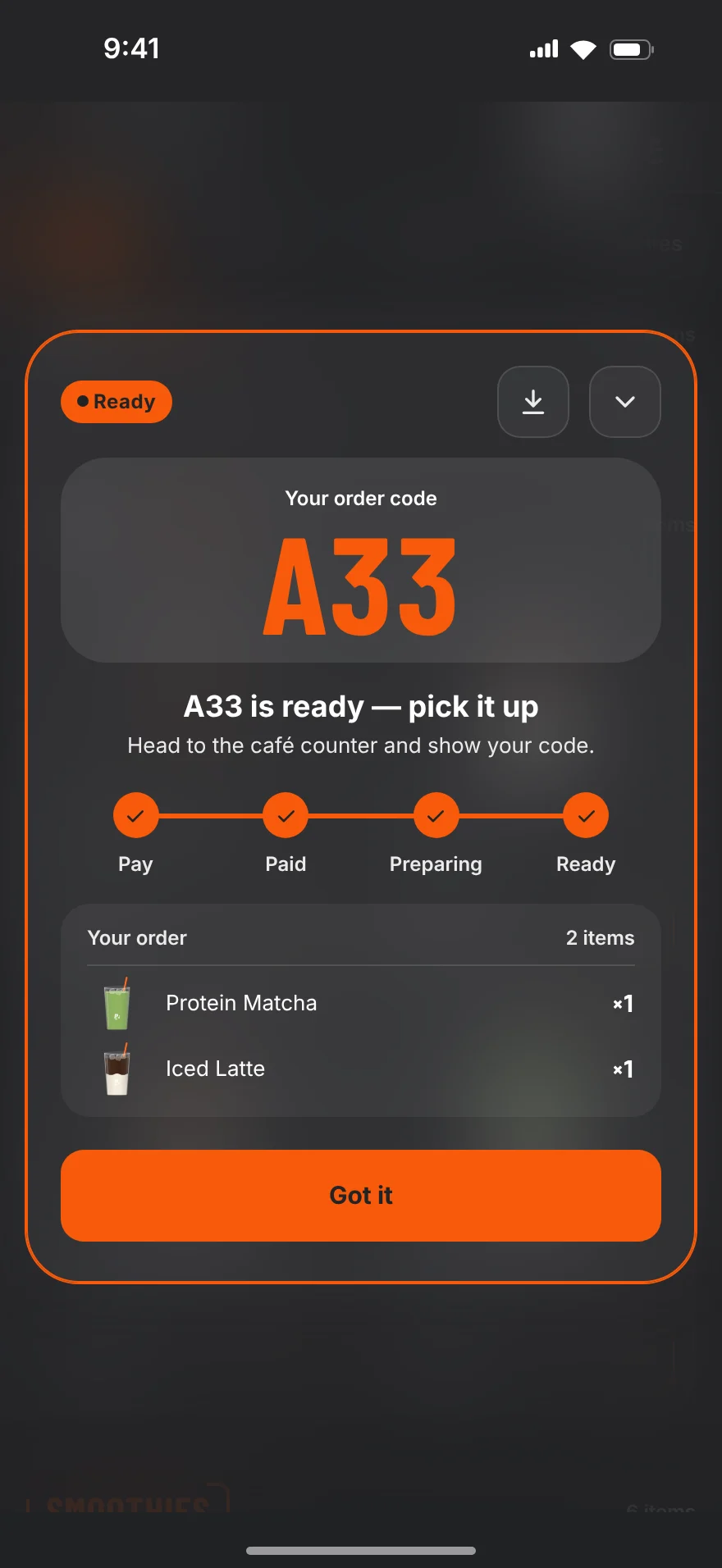
- Live status, and a notification when it's ready
- Every receipt with a QR link
ProjectsFitness Line Gym Café
Case study · Food & beverage · UAE
A QR ordering system for the café inside Fitness Line Gym. Members order from their phone between sets, the team sees every order live, and the owner sees every dirham.
The challenge
After every class, everyone wants a drink at the same time. Prices and macros were a question away, orders got mixed up, and the owner had no numbers to run the café on.
Before
A queue at the bar after every class
After
Members order from their phone, between sets
Before
“How much is it? What's in it?”
After
Prices, protein and calories right on the menu
Before
Orders mixed up or forgotten
After
Every order has a code and a live status
Before
No idea what sells, or when
After
Sales, best sellers and rush hours, every day
Before: A queue at the bar after every class
Members order from their phone, between sets
Before: “How much is it? What's in it?”
Prices, protein and calories right on the menu
Before: Orders mixed up or forgotten
Every order has a code and a live status
Before: No idea what sells, or when
Sales, best sellers and rush hours, every day
How it works
Step 1 of 5
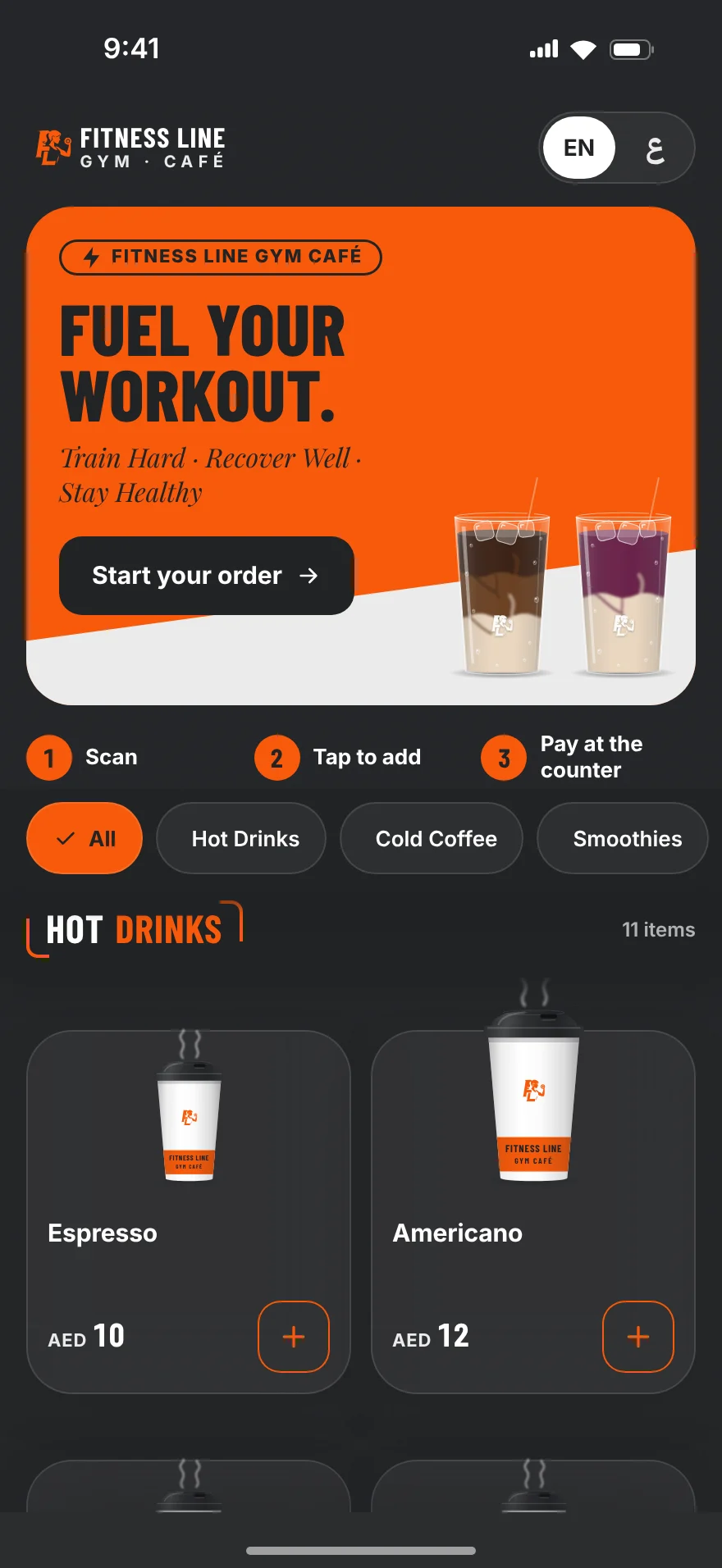
The menu opens on their phone. No app, no sign-up.
Pictures, prices, protein and calories. One tap adds an item.
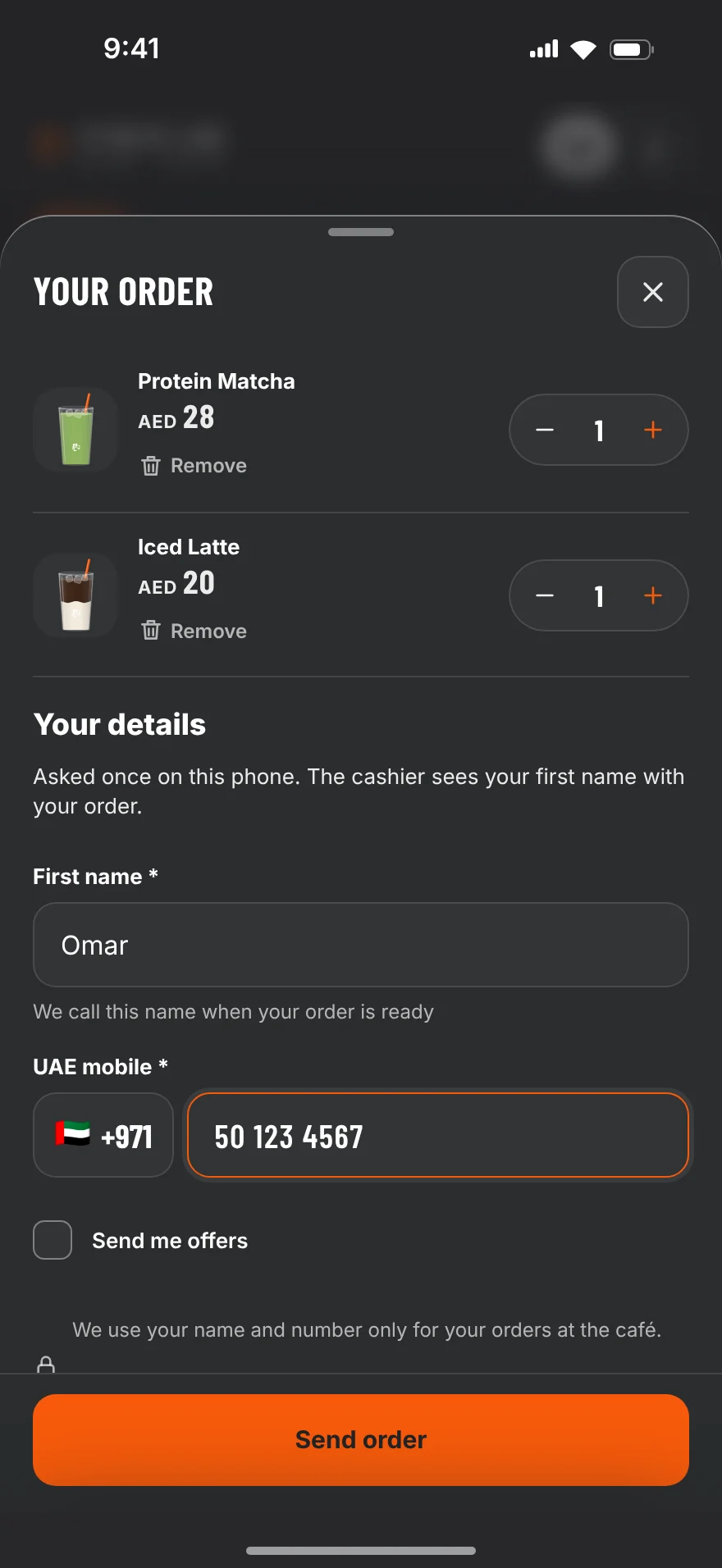
First name and mobile, only once. They get a code like A33.
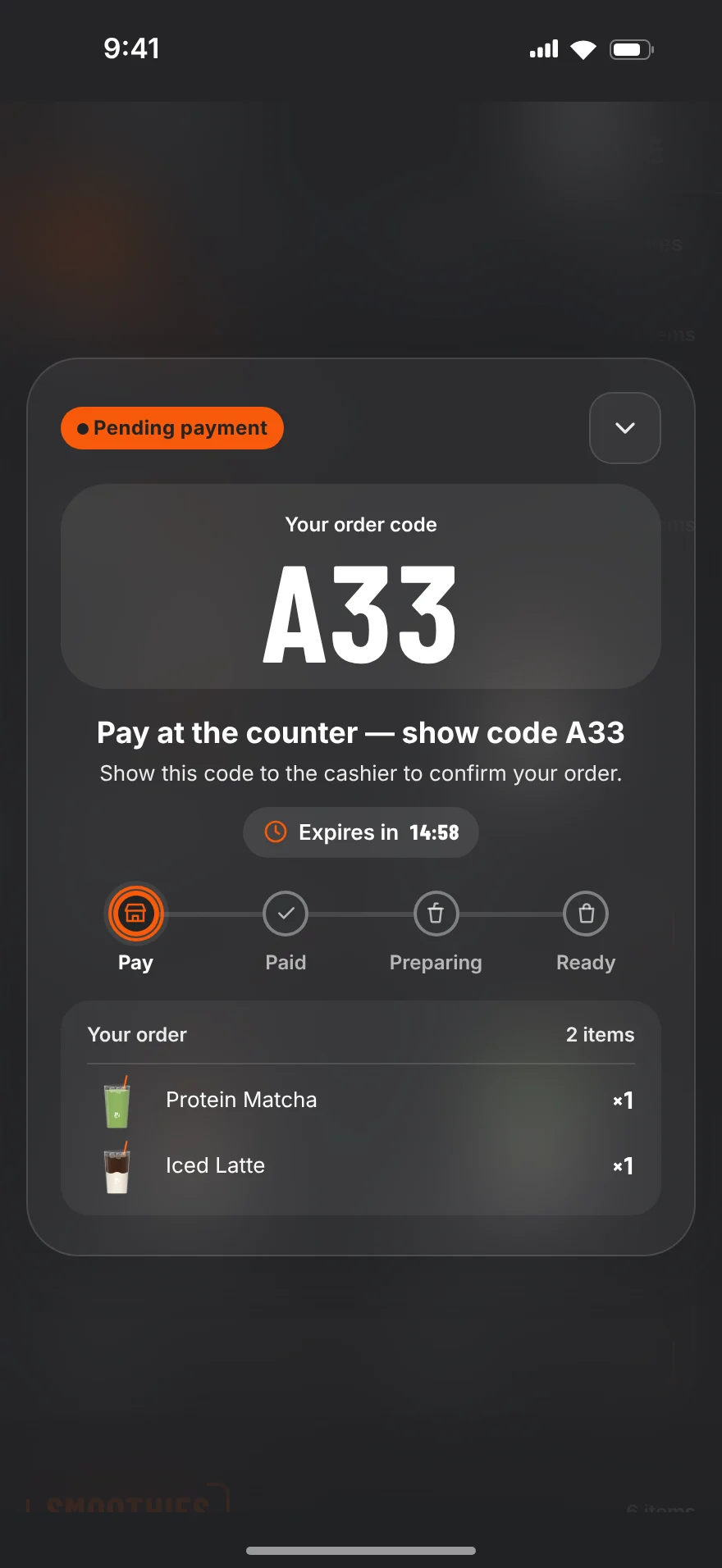
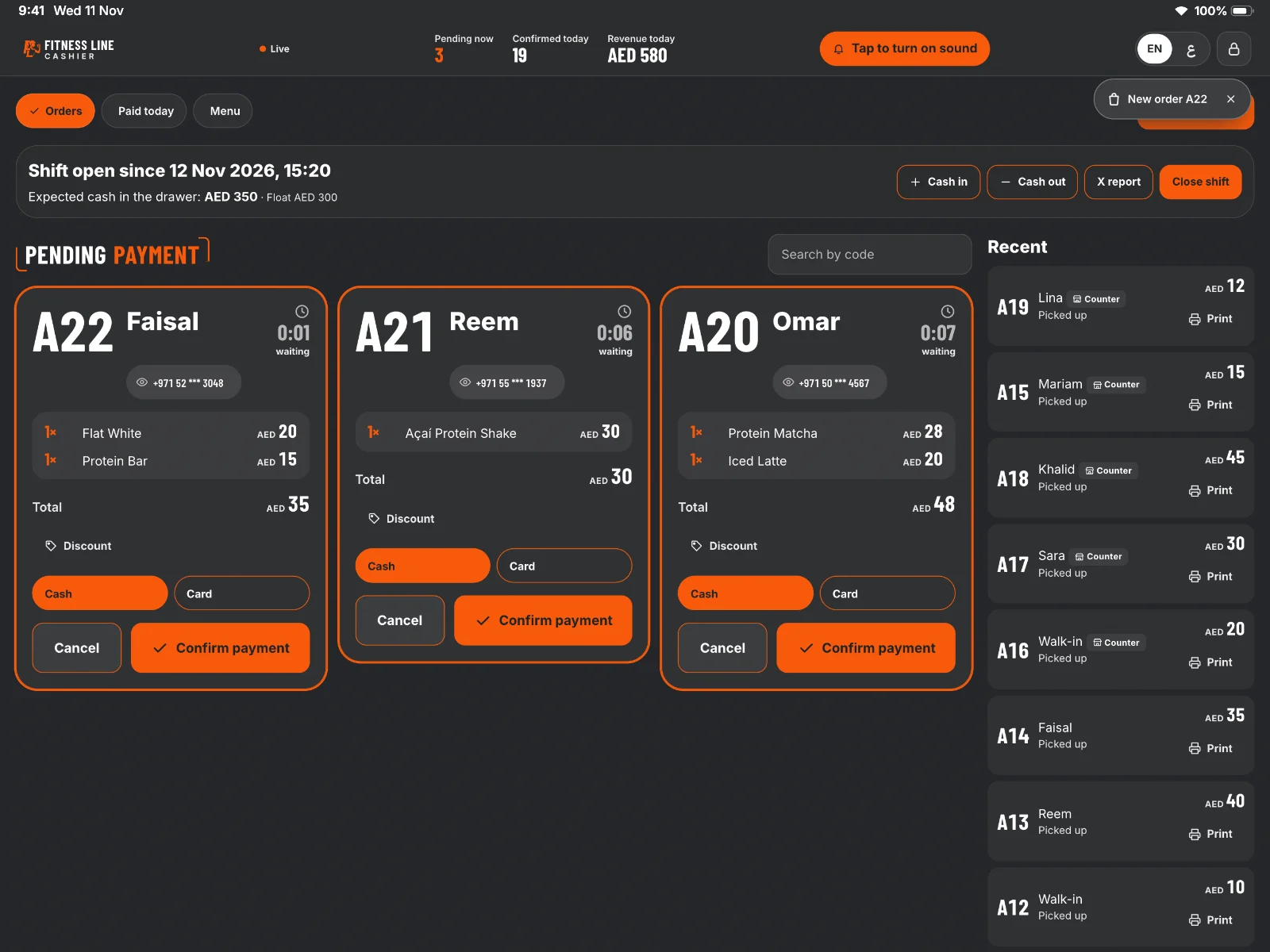
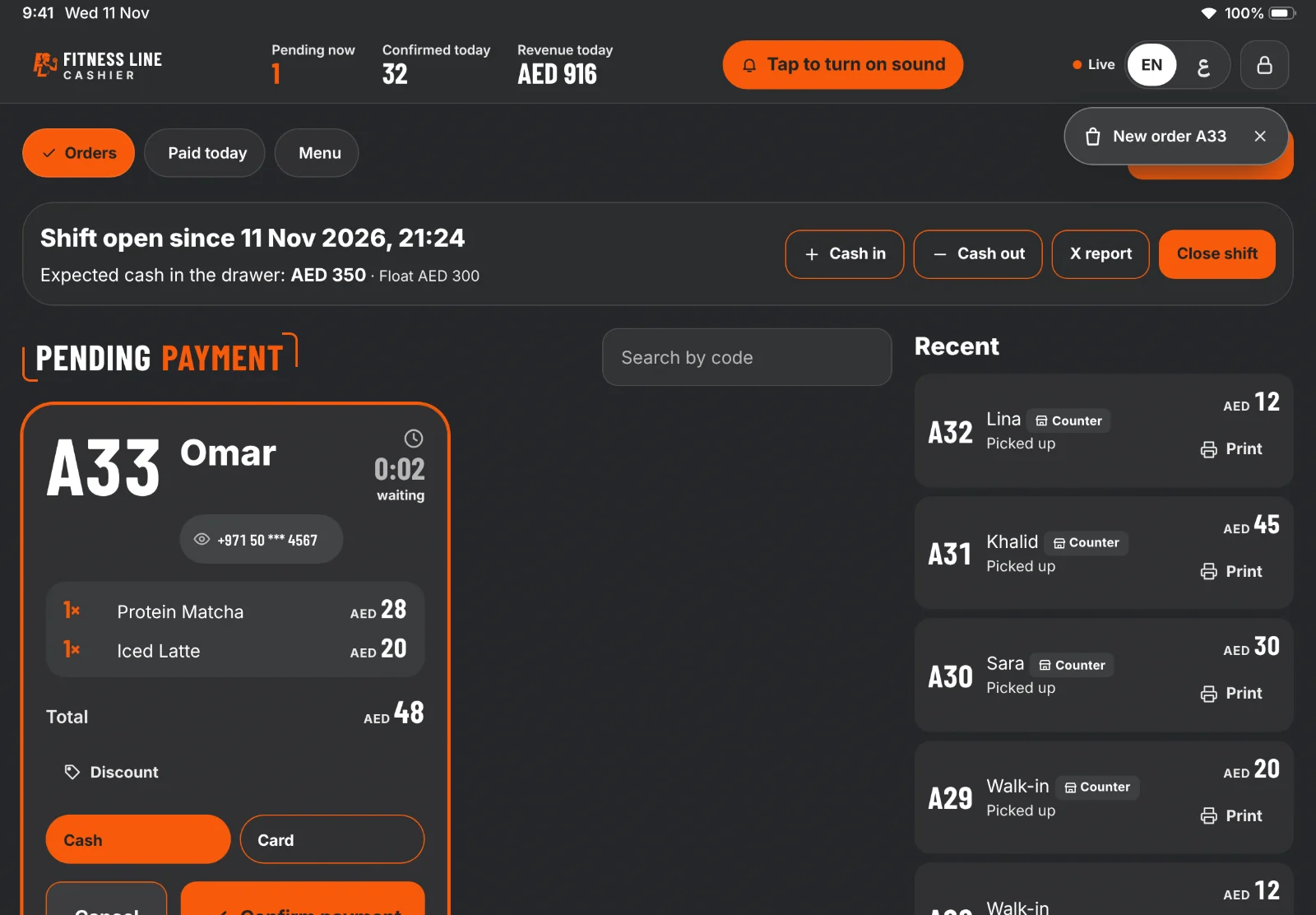
The cashier sees it instantly and confirms in one tap.
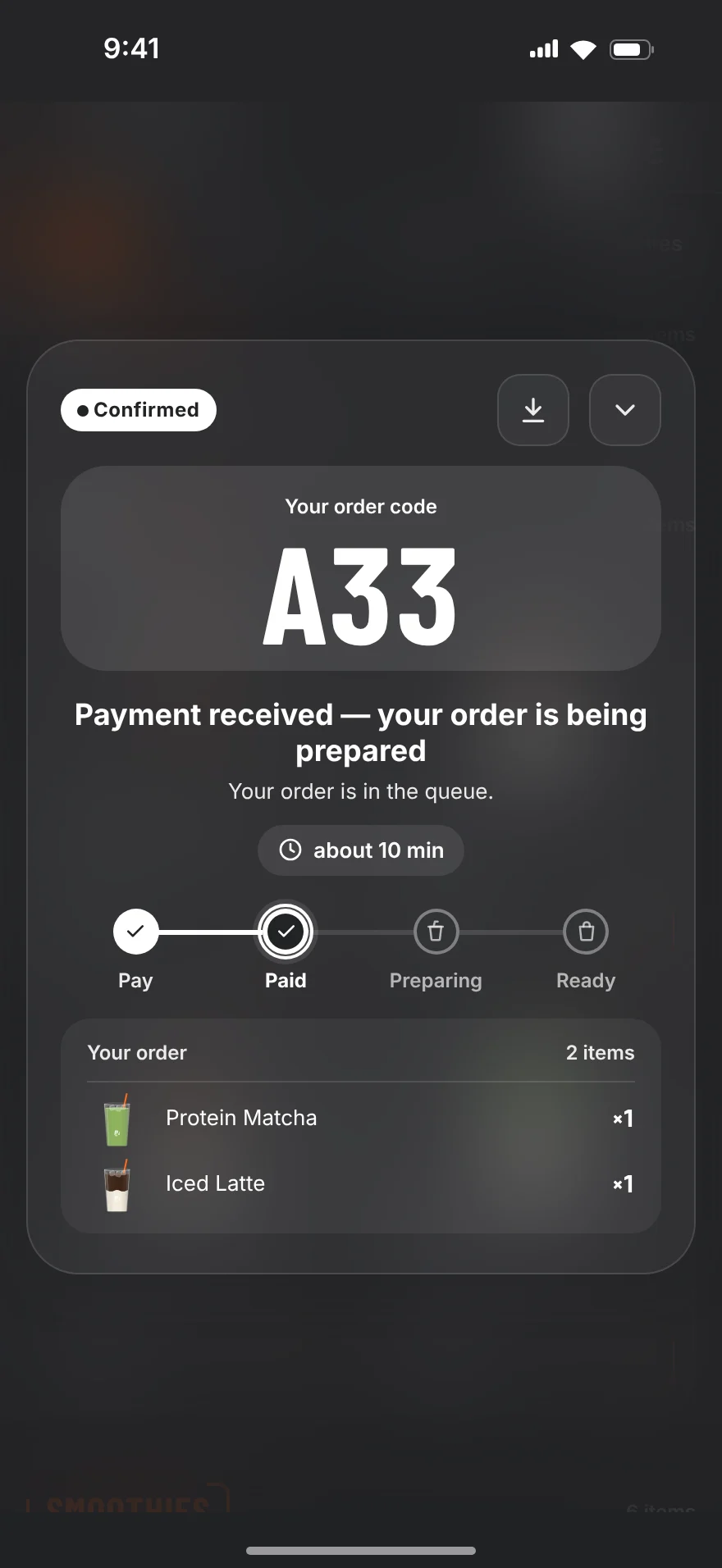
The barista marks it ready. Their phone and the TV show the code.
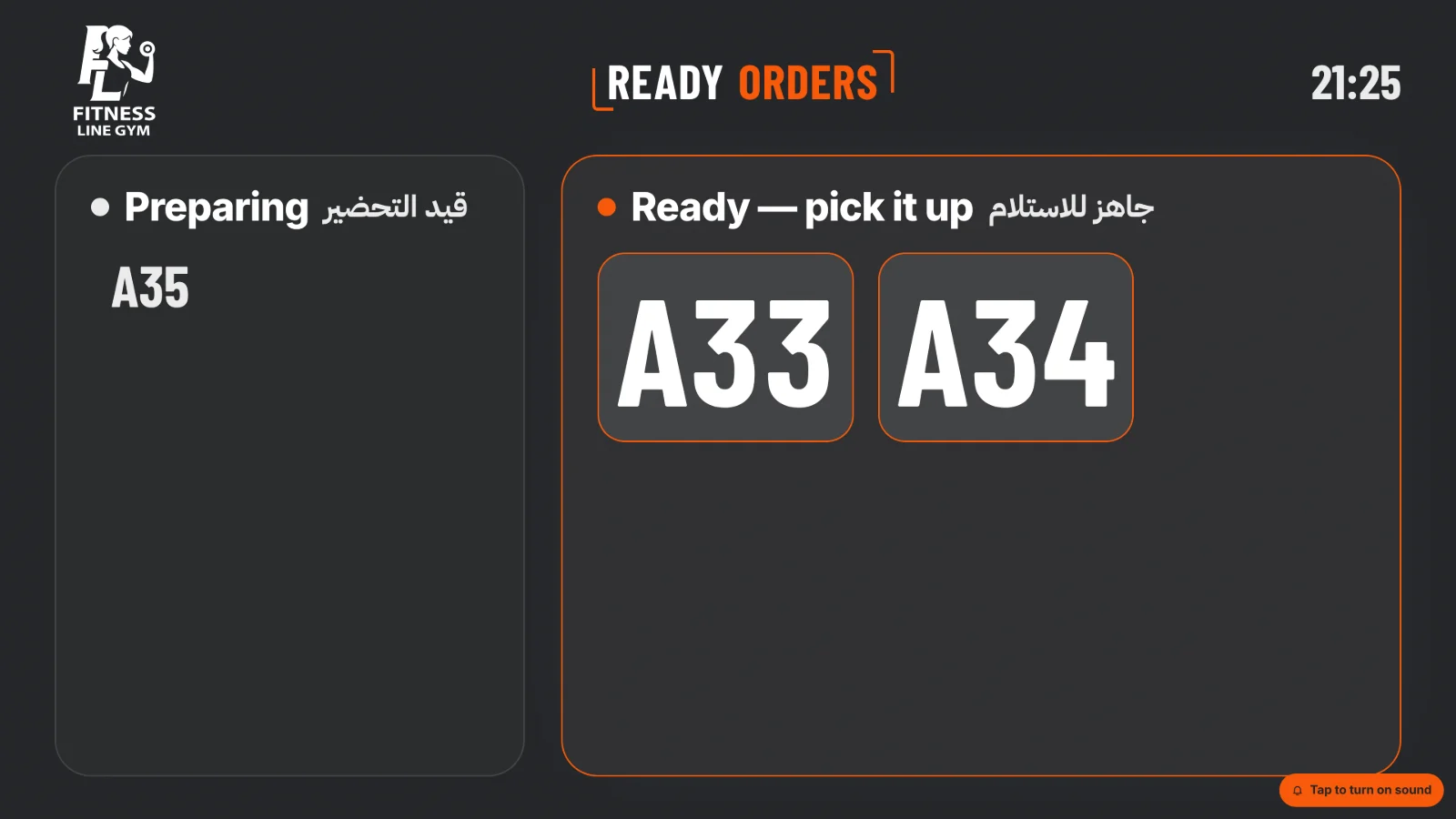
Five screens
Each screen runs on its own device and signs in to its own job. An order moves through all of them the moment it changes. Screens show demo data.
Member's phone
Cashier tablet
Barista screen
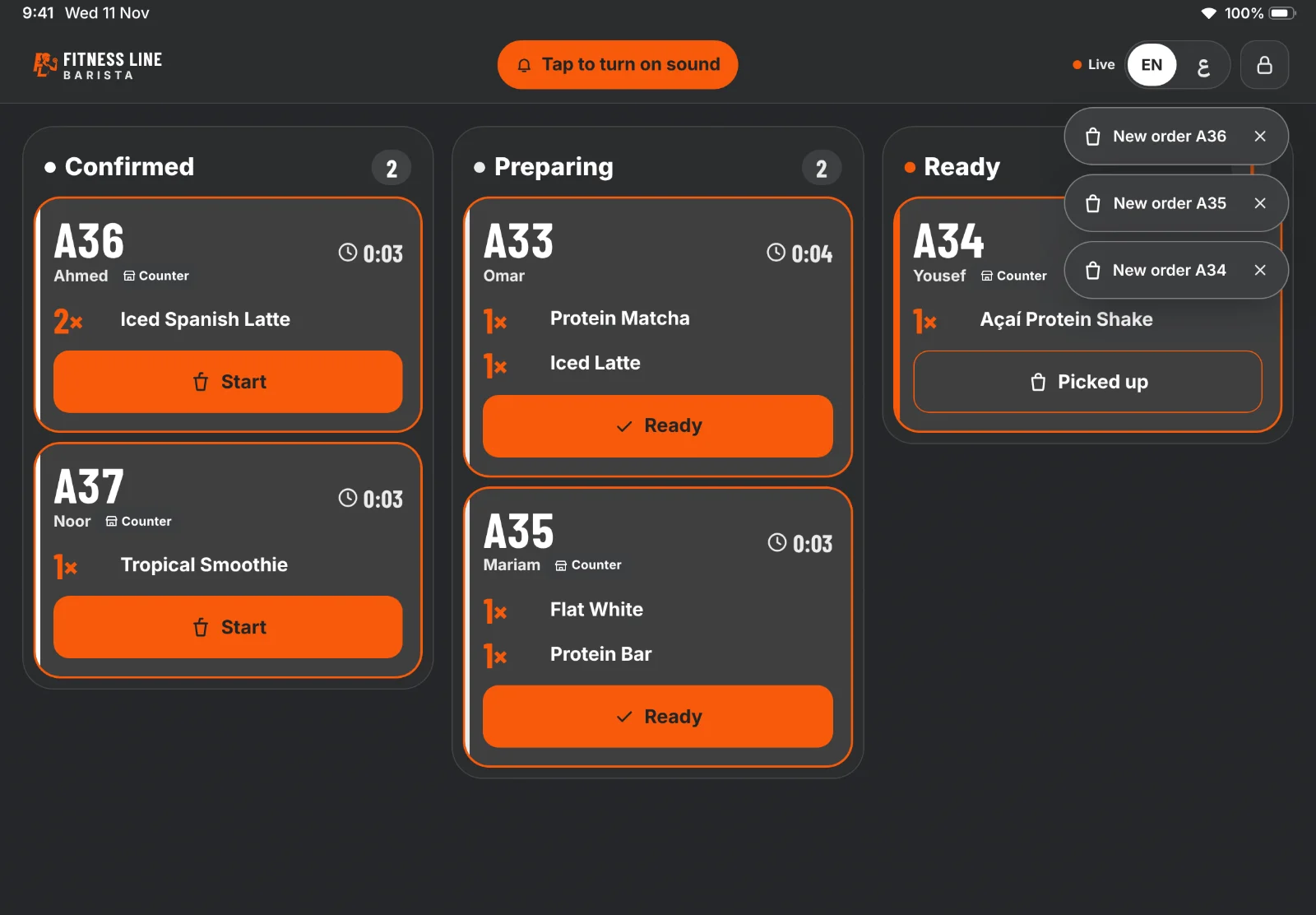
TV board
Owner dashboard
Demo data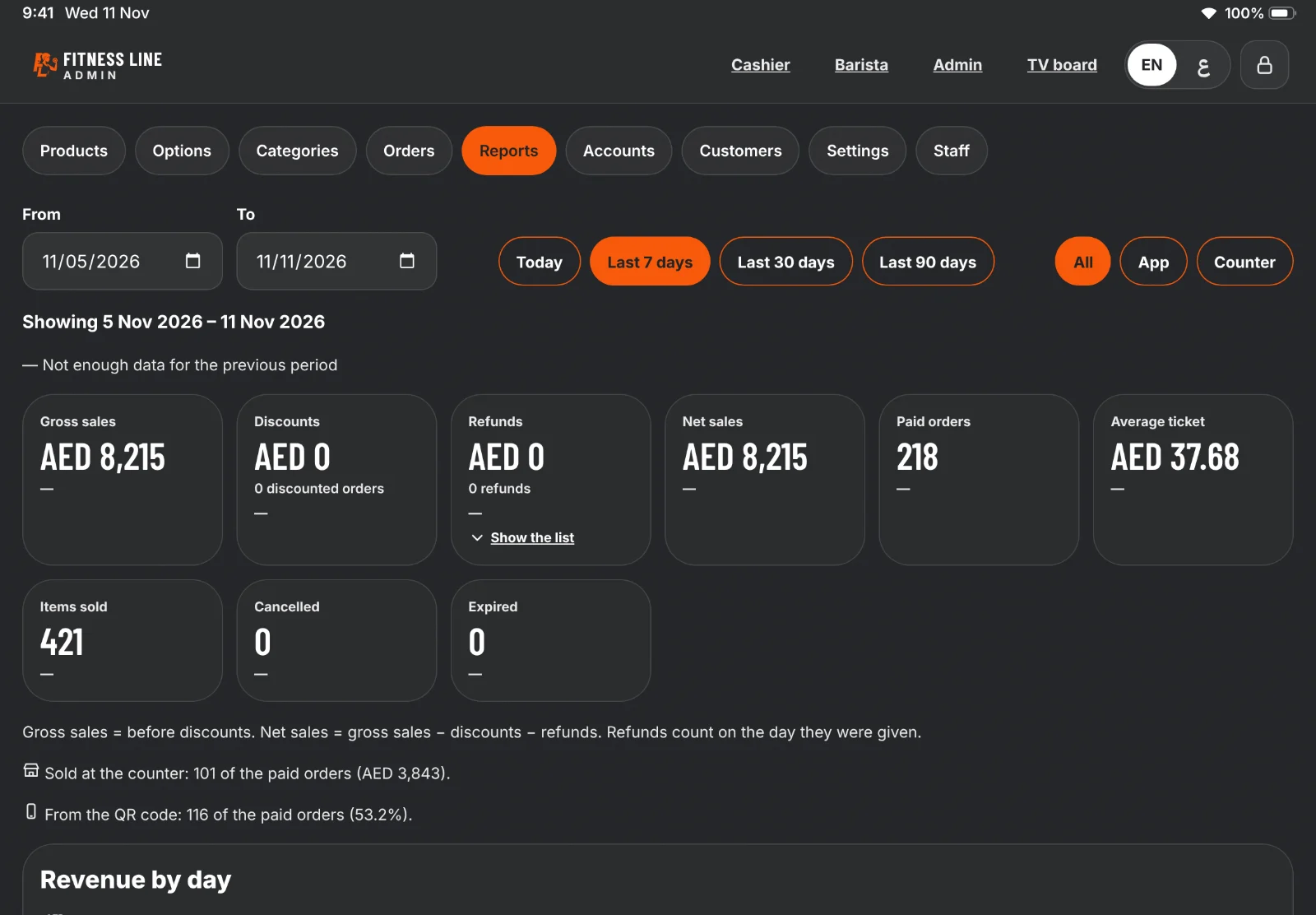
For the owner
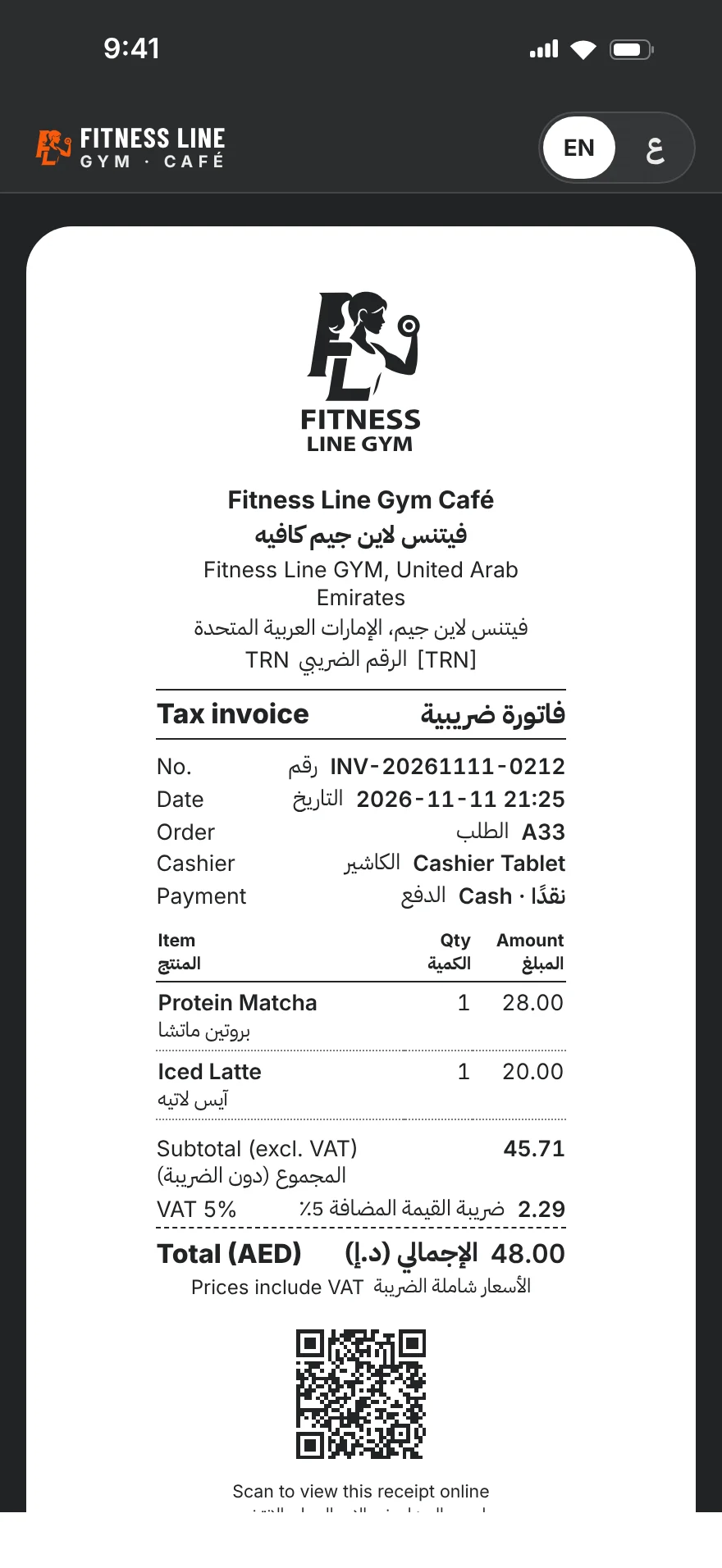
Prices and totals are calculated by the system, never by the phone.
Payment happens at the counter. An order counts only when the cashier confirms it.
VAT included, numbered, with a QR link to a digital copy.
A discount needs the owner's approval, a refund a password or PIN. Every one is recorded.
Opening float, cash in and out, counted against expected.
Sales, VAT, cash and card for every day.
Built to keep going
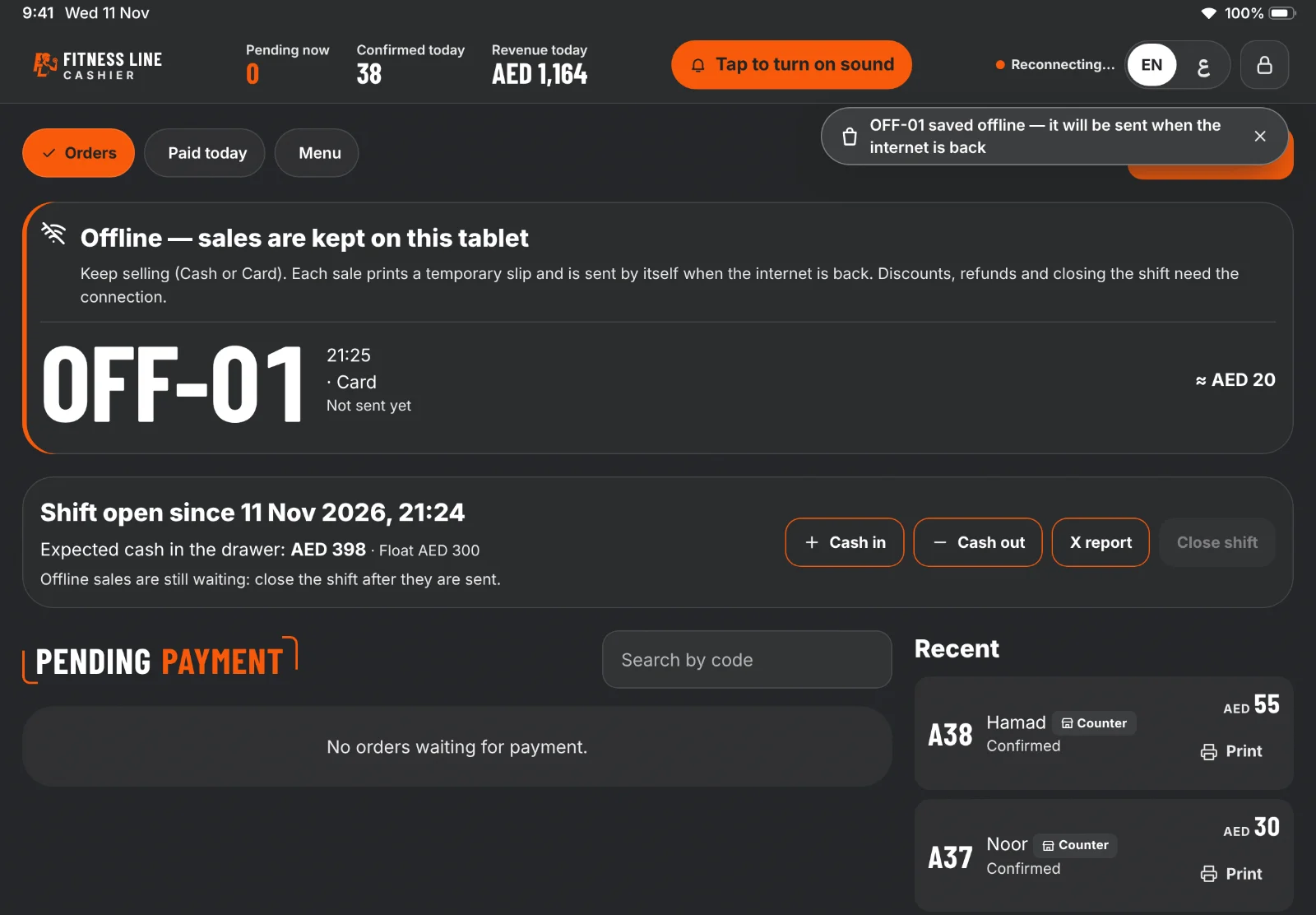
No internet? The cashier keeps selling. Sales are sent the moment it's back.
Install each screen with its own icon: cashier, barista, TV, owner.
Each tablet stays signed in to its own job.
Phone numbers stay masked on the staff screens.
Under the hood
Prices, VAT, discounts and totals are calculated in the database. A phone can't change what it pays.
Each screen sees and does only its own job; every table is protected inside the database itself.
Every screen updates the second an order changes, with no refresh.
Built with
Try it
A private demo: what you do stays in your browser and never reaches the café.
Order from your phone, take the payment, make the drink, call the code, then see a year of sales. A guided tour shows you where to tap.
Best on a computer with your phone nearby. No phone? Click the code on the screen.Open this page on a computer for the full demo.
Let's turn it into a system your team and your customers enjoy using.